How to use the bass test
- Turn your system volume down to about a quarter. Low tones carry a lot of energy. Turn up gradually once you know how loud it is.
- Press Play tone. You’ll hear a steady 60 Hz hum, the heart of the bass range.
- Drag the slider left or tap a preset to go lower. Listen for where the hum fades out, turns into a buzz, or makes something rattle.
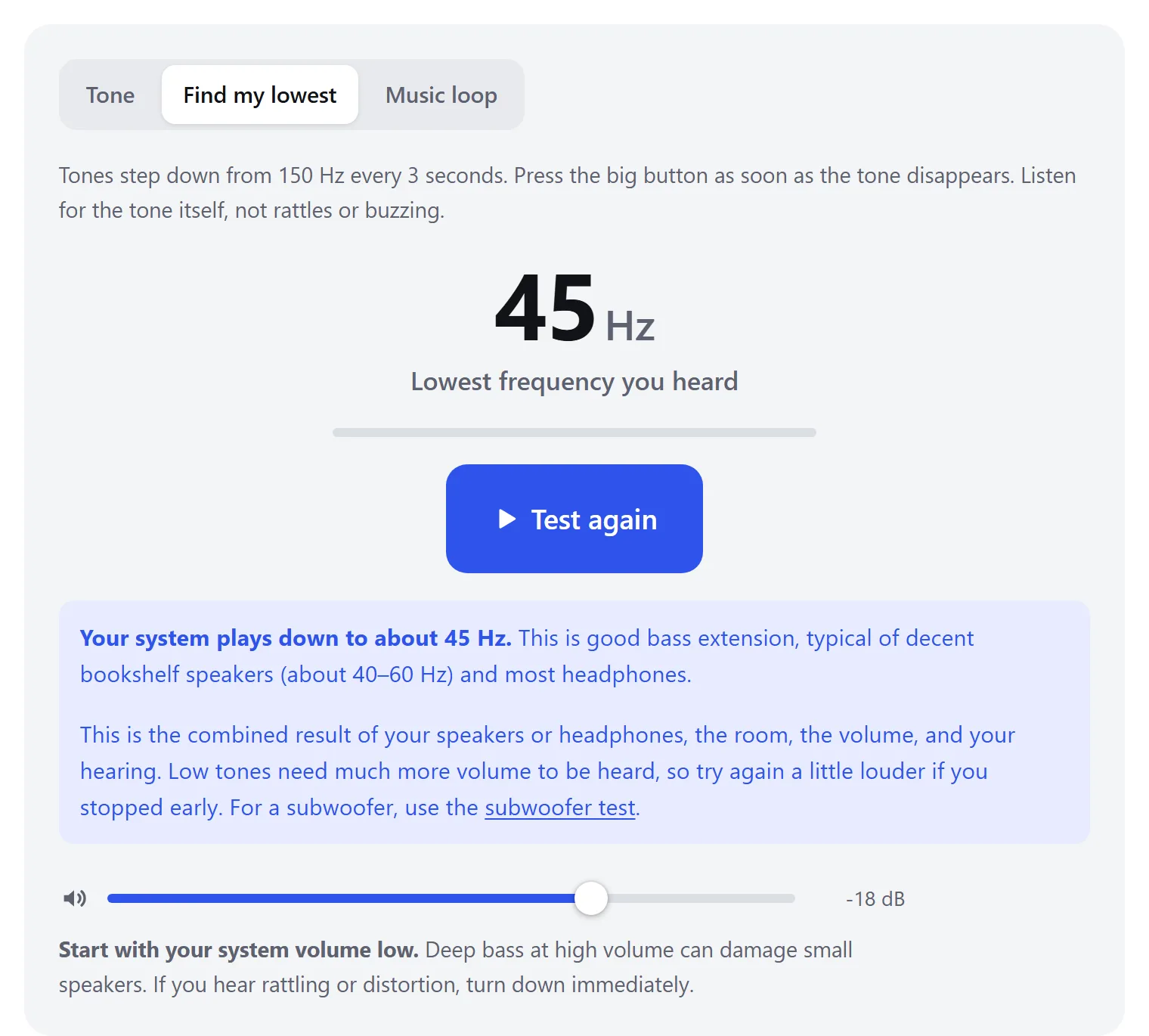
- For a quick answer, switch to Find my lowest. It steps down from 150 Hz to 12 Hz on its own. Press the big button when the tone disappears.
- Check real-world bass with the Music loop. Pure tones show the limit. The loop shows punch and how bass sounds on music.
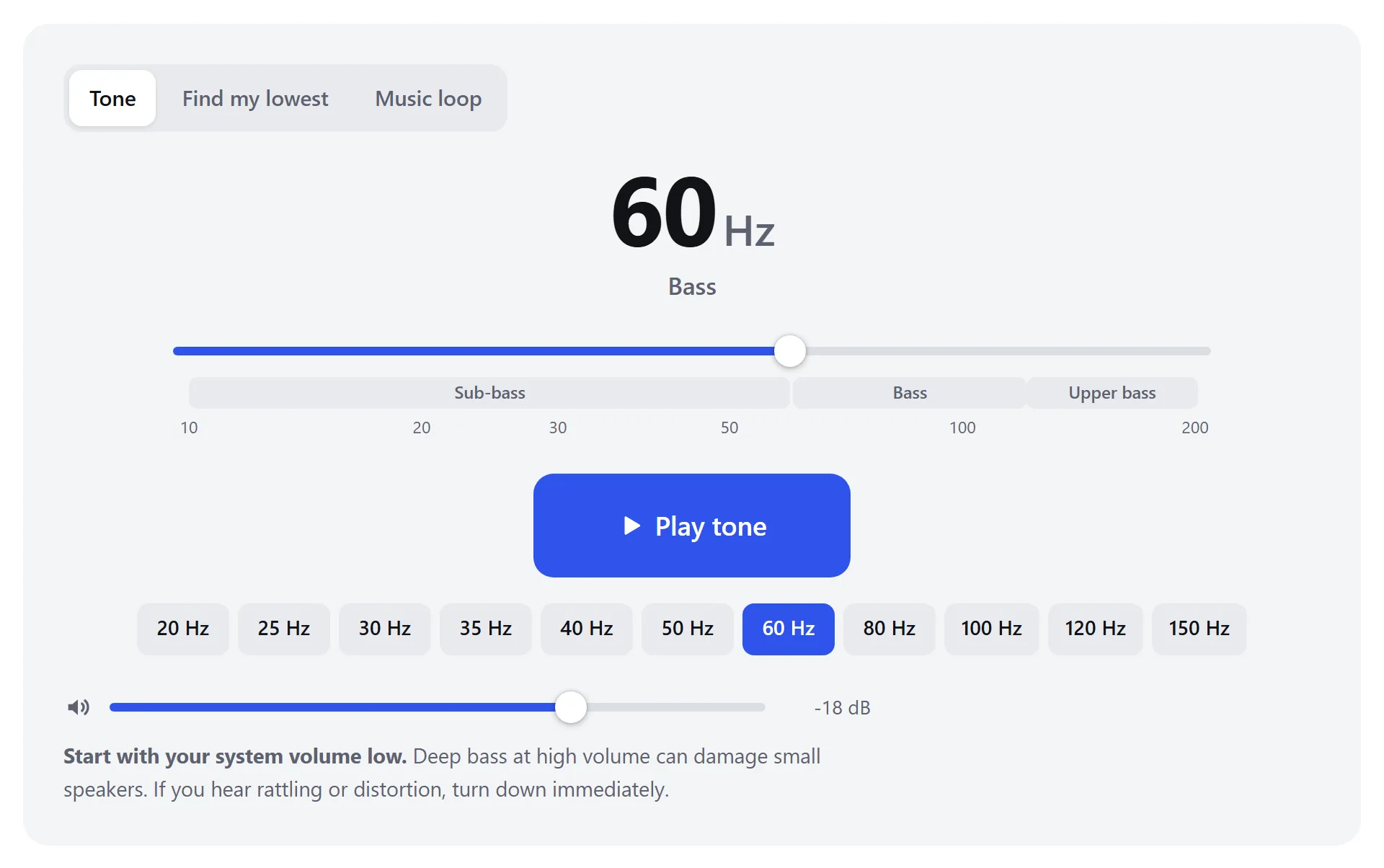
- Switch between a steady tone, the automatic Find my lowest test and the music loop.
- Current frequency and which part of the bass range it’s in.
- Drag to choose any frequency from 10 to 200 Hz. The slider is logarithmic, so each octave gets equal space. Arrow keys fine-tune.
- Start and stop the tone. You can also press Space.
- Jump straight to common test frequencies.
Bass frequencies explained
“Bass” covers roughly 20 to 250 Hz, a range of more than three octaves. Each part does a different job in music and films. Press play to hear each one. If a button seems silent, your speakers probably don’t reach that range.
| Range | What lives there | Hear it |
|---|---|---|
| Below 20 Hz | Infrasound. Felt more than heard: earthquakes, pipe organs’ lowest pipes, some film effects. | |
| 20–40 Hz | Deep sub-bass: synth sub drops, 808s, explosions and rumble in movies. | |
| 40–60 Hz | Kick drum body, bass guitar low notes (low E is 41 Hz), the “weight” in music. | |
| 60–120 Hz | Punch and warmth: kick drum thump, bass guitar fundamentals, the depth of male voices. | |
| 120–250 Hz | Upper bass: fullness. Too much sounds boomy or muddy; too little sounds thin. |
Your hearing is far less sensitive to low frequencies. At the same volume setting, 30 Hz sounds much quieter than 100 Hz, even on a speaker that plays both equally well. So a low tone that seems faint isn’t necessarily a speaker problem.
Typical results by device
| Device | Usually plays down to |
|---|---|
| Phone speaker | 150–300 Hz |
| Laptop or tablet speakers | 100–200 Hz |
| Small Bluetooth speaker | 60–100 Hz |
| Desktop or bookshelf speakers | 40–60 Hz |
| Headphones and sealed earbuds | 20–40 Hz, often lower |
| Floor-standing speakers | 30–45 Hz |
| Subwoofer | 20–30 Hz, some lower |
Why small speakers still seem to have bass
A phone can’t play 55 Hz, yet you can still follow a bassline on it. That’s because a real bass note isn’t a single frequency. It’s a fundamental plus a series of harmonics at 2×, 3×, 4× that frequency, and so on. When the fundamental is missing, your brain reconstructs it from the spacing of the harmonics. This effect is called the missing fundamental.
Try it. Both sounds below have the same pitch, a low A at 55 Hz. The second one has no 55 Hz in it at all, only harmonics at 110, 165, 220 Hz and up:
On headphones or a subwoofer, the first sounds deeper and fuller. On a phone or laptop they sound almost identical, because the speaker can’t play 55 Hz anyway. This is why a bass test with pure tones is the honest way to see how low your speakers go: a pure tone has no harmonics to fool you.
If a low tone turns into a buzz or a higher-pitched note, the speaker is distorting. It’s creating harmonics that weren’t in the signal. That’s a sign you’ve reached its limit, so turn it down.
How to get better bass
Speakers
- Move them closer to a wall. Placing a speaker near a wall boosts its bass by up to 6 dB, and a corner boosts it even more. If bass is boomy, pull speakers 30–60 cm (1–2 ft) away from the wall.
- Don’t block rear ports. Many speakers have a port (hole) on the back that produces bass. Leave at least a few centimeters behind it.
- Move your listening position. Rooms create bass peaks and nulls. Moving your chair by half a meter can change the bass dramatically. The subwoofer test can measure this with your microphone.
- Add a subwoofer if your speakers stop around 50–60 Hz and you want the deepest bass in films and electronic music.
Headphones and earbuds
- Get a proper seal. This is the biggest factor by far. A small gap around an earbud can cost 10–20 dB of bass. Try every ear tip size, and foam tips if you can.
- Glasses and hair break the seal of over-ear headphones and reduce bass noticeably.
Settings
- Use the bass or low-shelf control in your music app, player or system EQ, but boost gently (3–6 dB). Large boosts eat into the speaker’s headroom and cause distortion.
- On Windows, check the sound device’s Enhancements or your audio app (Realtek, Dolby, Nahimic). A “bass boost” option may be on or off without you knowing.
- Turn off “battery saver” or “volume limiter” modes on Bluetooth speakers. Some cut bass to save power.
Rattles, buzzing and distortion
Slowly sweeping a bass tone is the fastest way to find rattles: a loose shelf, window, screw in the speaker grille, or a damaged speaker cone. Move the slider slowly between 30 and 120 Hz at moderate volume and listen for buzzing. When something rattles, hold the frequency there and walk around the room to find it.
If the buzz comes from the speaker itself, gently press on the cabinet and grille. If it continues, the cone or surround may be damaged. Compare it with the other speaker, as a healthy speaker produces a clean hum at the same frequency and volume.